
Service businesses lose more money to missed handoffs and unbilled hours than to a bad marketing plan, and the right project management tool won't fix that on its own — but the wrong one guarantees the problem keeps repeating. ClickUp wins overall for service businesses running several client accounts at once, Asana wins when client-facing communication matters more than internal time tracking, and Basecamp wins for solo consultants who want one flat system instead of five stacked tools.
- ClickUp is the best overall project management tool for service based businesses juggling multiple client accounts in 2026.
- Asana wins for teams where client-facing communication matters more than internal time tracking.
- Teamwork.com is built specifically for billable hours and profitability reporting.
- Basecamp fits solo consultants who want one flat system, not five stacked add-ons.
- Notion works best when SOPs and documentation carry as much weight as task tracking.
Why this matters
Most service businesses don't outgrow their spreadsheet because the spreadsheet is bad — they outgrow it because nobody mapped the process before trying to automate it. That's the gap operations consultants like Tended Sprout Co. get called in to close: the tool gets picked before the workflow is documented, and six months later the team is migrating again.
A project management tool only pays off once the underlying process is clear enough to put into a system. The tool doesn't fix a broken process, it just makes the mess visible faster. Pick based on how your business actually runs in 2026 — hourly billing, retainer work, or project-based delivery — not on whichever tool a competitor mentioned in a newsletter.
“The tool doesn't fix a broken process, it just makes the mess visible faster.”
What makes the best project management tool for service businesses
- Client visibility without a login headache — clients see status without a training call
- Time and budget tracking tied to actual billing, not a separate spreadsheet
- Template and SOP support so a new hire ramps in days, not weeks
- Integrations with invoicing, proposals, and CRM tools already in use
- Team capacity visibility to catch overbooking before it happens
- Mobile access for anyone working outside a desk
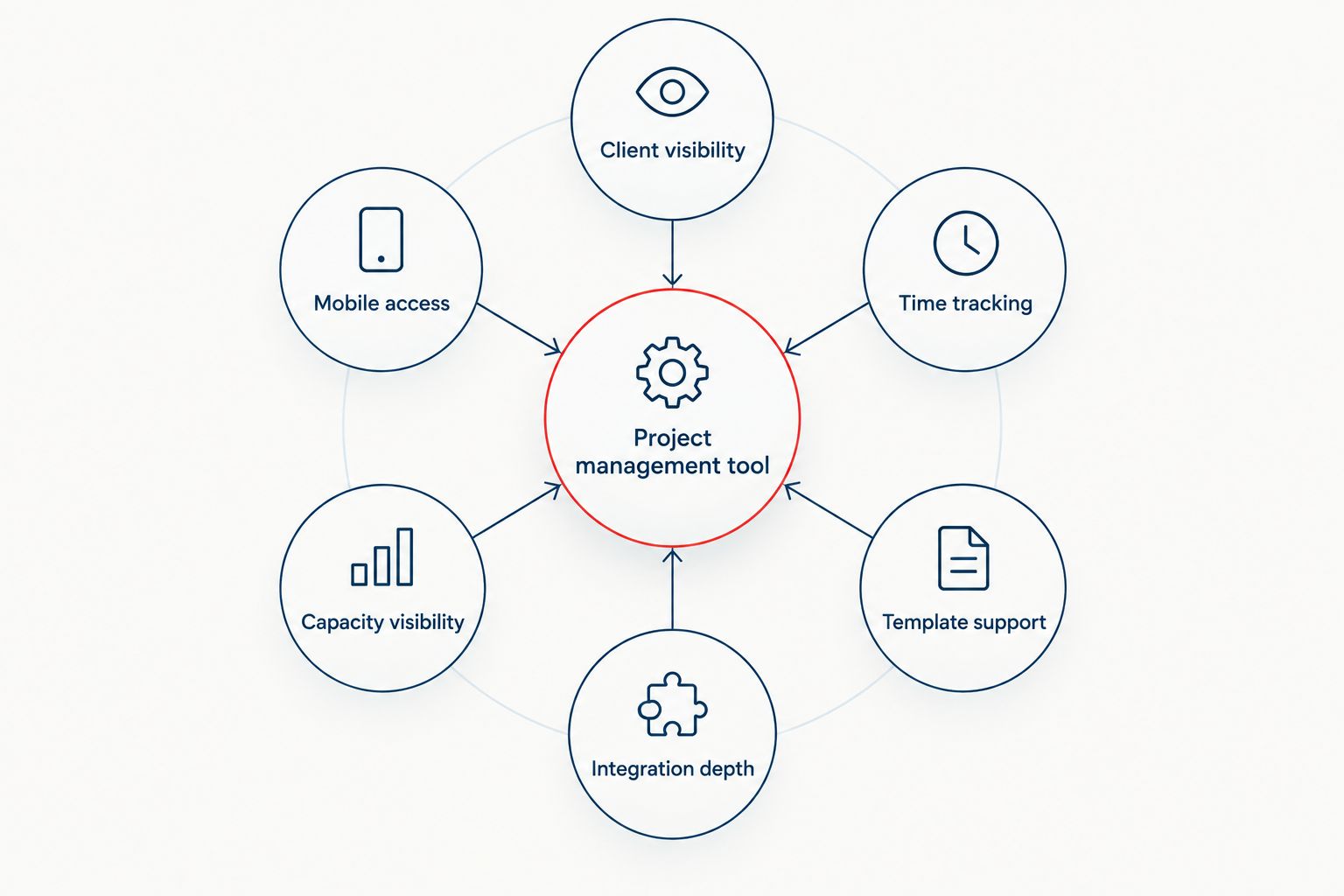
Best project management tools for service-based businesses at a glance
| Tool | Best for | Standout feature | Key limitation |
|---|---|---|---|
| ClickUp | Multi-client project management | Custom views (list, board, Gantt, calendar) in one workspace | Deep customization slows onboarding for new hires |
| Asana | Client-facing communication | Clean timelines and workflow automation clients understand without training | Native time tracking is thin; usually needs an add-on |
| Teamwork.com | Billable hours and profitability | Budget-vs-actual hours reporting built into each project | Interface feels dated next to newer tools |
| Monday.com | Budget-friendly, growing teams | Visual boards non-technical staff learn in a day | Client portal and guest access limited on lower tiers |
| Basecamp | Solo consultants wanting simplicity | One flat toolset: to-dos, messages, docs, check-ins | No native time tracking or budget reporting |
| Notion | SOPs plus lightweight tracking | Docs, wikis, and databases live next to the task list | Not built for heavy project management like Gantt charts |
1. ClickUp: best project management tool for service businesses running multiple client accounts
ClickUp combines task lists, docs, time tracking, and dashboards in one workspace, and lets every client or project run its own view without leaving the platform. Firms managing five or more concurrent accounts use it to keep one consistent setup while scaling headcount.
ClickUp pros:
- Multiple view types (list, board, Gantt, calendar) in one workspace
- Native time tracking and reporting
- Templates for common service workflows
- Free tier available for small teams
ClickUp cons:
- Steep learning curve for non-technical staff
- Heavy customization can slow down setup
- Mobile app lags behind desktop feature parity
Best for: Agencies and consultants managing five or more concurrent client projects. Verdict: Buy.
2. Asana: best project management tool for client-facing communication
Asana centers on clear timelines and workflow rules that clients can read without a walkthrough. Teams whose client relationships depend on visible progress, not raw task counts, lean on it for that reason.
Asana pros:
- Clean interface non-technical clients understand fast
- Workflow automation without code
- Solid mobile app
- Strong integration library
Asana cons:
- Native time tracking is limited; usually needs a third-party add-on
- No built-in profitability or budget reporting
- Cost climbs as user count grows
Best for: Agencies where client-facing status updates matter more than internal time tracking. Verdict: Buy.
3. Teamwork.com: best project management tool for billable hours and profitability
Teamwork.com puts budgets, logged time, and the task list on the same screen, which is why consultants and agencies that bill hourly or by retainer use it to catch scope creep before it costs money.
Teamwork.com pros:
- Time tracking tied directly to project budgets
- Profitability reports per client
- Client user roles with limited visibility
- Invoicing integration
Teamwork.com cons:
- Interface feels less modern than ClickUp or Asana
- Lower tiers cap out fast
- Some reporting sits behind higher plans
Best for: Firms that bill hourly and need budget-vs-actual visibility without exporting to a spreadsheet. Verdict: Buy.
4. Monday.com: best budget-friendly project management tool for growing service teams
Monday.com runs on color-coded boards that non-technical staff pick up in a day, with automations that move tasks without manual updates. Teams outgrowing shared spreadsheets for the first time in 2026 use it as their first real system.
Monday.com pros:
- Fast onboarding for new hires
- Visual boards reduce confusion
- Strong automation builder
- Scales from a two-person team to dozens
Monday.com cons:
- Client portal and guest access limited on lower tiers
- Time tracking requires an add-on
- Board sprawl without governance
Best for: Teams under ten replacing spreadsheets for the first time. Verdict: Hold — solid choice, but confirm client portal needs first.
5. Basecamp: best simple project management tool for solo consultants
Basecamp strips project management down to to-dos, message boards, docs, and scheduled check-ins in one flat toolset with no add-on modules to manage. Solo consultants who want one system instead of five use it for exactly that reason.
Basecamp pros:
- Extremely simple to learn
- Message boards replace scattered email threads
- Automatic check-in questions keep async teams updated
- Predictable, flat structure
Basecamp cons:
- No native time tracking or budget reporting
- Limited customization for complex workflows
- Not built for many parallel client projects
Best for: Solo consultants and two-to-three-person teams who want simplicity over features. Verdict: Buy.
6. Notion: best project management tool for teams that live by their SOPs
Notion combines docs, wikis, and databases in the same workspace as task boards, so SOPs, client notes, and project tracking sit in one place instead of three. Businesses where documentation carries as much weight as the task list itself gravitate here.
Notion pros:
- Docs and databases live next to tasks, not in a separate tool
- Flexible enough to build a custom operations hub
- Strong for SOP and knowledge-base use
- Generous free tier for individuals
Notion cons:
- Not built for heavy project management — no native Gantt charts
- Reporting requires manual setup
- Can become a maintenance project of its own without a clear system
Best for: Teams that need SOPs and light task tracking in the same place, not heavy project management. Verdict: Hold — great for documentation, weak on reporting.
How this ranking works
This ranking weighs the six criteria above against how service businesses actually use these tools day to day: client visibility, time-to-budget accuracy, SOP and template support, integration depth with invoicing and CRM systems, team capacity visibility, and mobile access for anyone working outside a desk. Tools that nail three or four of those criteria outrank tools that spread thin across all six — a jack-of-all-trades project management tool is rarely the one a service business keeps past year one.
Which project management tool should you choose in 2026?
If you manage multiple client accounts and need one workspace flexible enough to hold all of them, ClickUp is the default pick for 2026. If client-facing communication carries more weight than internal time tracking, Asana wins that trade-off. Solo consultants who want to stop juggling five different tools land on Basecamp, and teams that live and die by their SOPs are better served by Notion. Bill by the hour and profitability numbers matter as much as task completion — Teamwork.com is worth the switch.
None of these tools fixes a process that was never mapped out in the first place; they only make an existing system faster to run. That's the part a systems consulting engagement handles before the software subscription even starts.
Fix the process before the tool
Tended Sprout Co. builds the systems these tools are supposed to run.
FAQ
What is the best project management tool for service based businesses in 2026?
ClickUp is the best overall pick in 2026 for service businesses managing multiple client accounts, since it holds custom views, time tracking, and dashboards in one workspace. Asana and Basecamp are better fits for teams prioritizing client communication or simplicity over feature depth.
Is ClickUp better than Asana for client-facing service businesses?
ClickUp offers more customization and native time tracking, while Asana offers a cleaner interface clients read without training. Choose ClickUp if you manage several accounts at once; choose Asana if client-facing clarity matters more than internal reporting.
How much does a project management tool cost for a small service business?
Pricing varies by tool, plan tier, and number of users, and most vendors update plans throughout the year. Check each tool's current pricing page directly before committing rather than relying on a fixed figure.
Does Basecamp include time tracking?
No, Basecamp does not include native time tracking or budget reporting. Consultants who bill hourly typically pair it with a separate time-tracking tool or choose Teamwork.com instead.
What project management tool works best for solo consultants?
Basecamp is the best fit for solo consultants in 2026 because it consolidates to-dos, messages, and docs into one flat system with no add-on modules to manage. Notion is a close second if documentation matters as much as task tracking.
Can Notion replace a dedicated project management tool?
Notion can replace lightweight project tracking when paired with strong SOPs and databases, but it lacks native Gantt charts and built-in reporting. Teams running complex, multi-phase client projects usually need ClickUp or Teamwork.com instead.
Which project management tool is easiest to onboard a new hire into?
Monday.com and Basecamp have the shortest learning curves for non-technical new hires, since both rely on visual boards or simple lists rather than deep customization. ClickUp takes longer to onboard because of its configuration depth.
Do service businesses need a project management tool with a client portal?
A client portal matters most for businesses where clients expect direct visibility into project status, common in agencies and consulting. Asana and ClickUp both support this well; Basecamp's message boards serve a similar purpose without a formal portal.
One last thing
Most service businesses don't fail from picking the wrong project management tool — they fail from never retiring the old one. ClickUp, Asana, or Teamwork.com only pay off once every old spreadsheet and abandoned Trello board tied to a past process gets closed for good, not left running in parallel through 2026 and into the next migration.